Core Web Vitals in 2025: Mastering INP After the FID Sunset
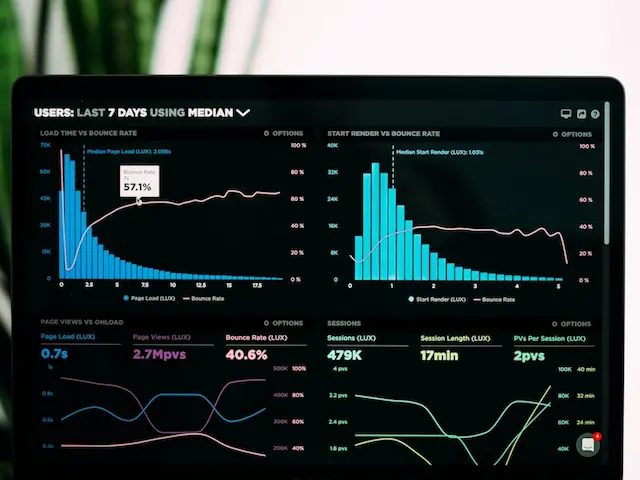
When Google retired First Input Delay (FID) and promoted Interaction to Next Paint (INP) to a Core Web Vital, a lot of sites that comfortably passed suddenly found themselves in the yellow or red. If your dashboards looked worse overnight, you are not alone — the bar genuinely got higher.
What INP actually measures
FID only measured the delay before the browser started processing your first interaction. INP is far more honest: it measures the full latency of interactions throughout the entire visit — from the tap or click to the next frame painted on screen.
In practice, INP captures the responsiveness users actually feel:
- A button that takes 400ms to visibly respond
- A menu that janks open after a heavy script runs
- A form field that lags behind your typing
The target is an INP of 200ms or less at the 75th percentile.
Why it is harder to pass
FID could be gamed by deferring work past the first interaction. INP cannot. If your page does heavy JavaScript work in response to clicks — re-rendering large component trees, running expensive handlers, thrashing layout — INP will expose it.
How to fix poor INP
1. Break up long tasks
Long tasks block the main thread. Yield to the browser with techniques like scheduler.yield() or by chunking work so the UI can paint between steps.
2. Reduce JavaScript
The cheapest interaction is the one that runs no JavaScript. Server-render what you can, ship less to the client, and hydrate selectively. This is exactly why frameworks with Server Components have a structural advantage.
3. Keep handlers lean
Do the minimum work needed to give visual feedback first, then defer the rest. Show the menu, then fetch its contents.
4. Avoid layout thrash
Batch DOM reads and writes. Reading layout properties between writes forces synchronous reflow and tanks responsiveness.
Measuring it properly
Lab tools like Lighthouse approximate INP, but it is fundamentally a field metric. Use the Chrome User Experience Report (CrUX) and real-user monitoring to see what visitors actually experience, on the devices they actually use.
The bottom line
INP rewards sites that are genuinely light and responsive, and punishes those that paper over heavy JavaScript. The fix is not a clever hack — it is shipping less to the browser and doing less work on every interaction. Sites built on modern, server-first architectures are well placed to pass it without heroics.
Related Articles
 Design
AI in Web Design: How Artificial Intelligence Is Reshaping the Web in 2025
From generative layouts to AI-assisted accessibility checks, artificial intelligence has moved from novelty to a core part of the modern web design workflow. Here is what actually matters in 2025.
 Development
Headless CMS in 2025: Trends Every Growing Brand Should Watch
Headless content management has gone mainstream. We break down the trends that matter — from visual editing to content federation — and when a headless approach is the right call.
 SEO
SEOSEO in 2025: What Actually Moves the Needle Now
AI overviews, helpful-content signals, and a relentless focus on intent have rewritten the SEO playbook. Here is where to spend your effort in 2025.